


DropAi · Brand activations
An AI photo experience that fits your brand
Invite guests into a visual world inspired by your campaign. Combine a distinctive AI portrait with a result page carrying your approved logo and message.


The comparison could not be loaded. Please reload the page to try again.
Demonstration scenario
Two directions for one stand
- Brief
- An agency needs two contrasting creative proposals for the same trade-show stand.
- Creative choice
- Switch between Neon Runway and Cosmic Explorers: the source photo and three main guests stay the same.
- How it runs
- Prepare the approved brand assets, a reference photo and a visual brief. Show both scenes and their guest pages to the client, then test an available effect in the account.
- What the guest receives
- A concrete photo and short film help the client choose a direction. Logo and message belong on the configurable guest page.
Start here
Demonstration with fictional adults. These scenes are not ready-made catalogue effects.
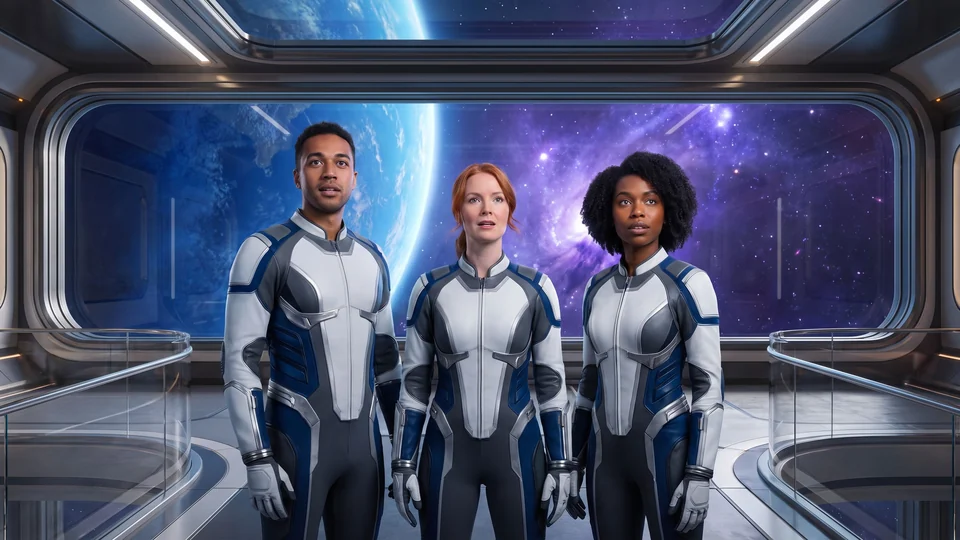
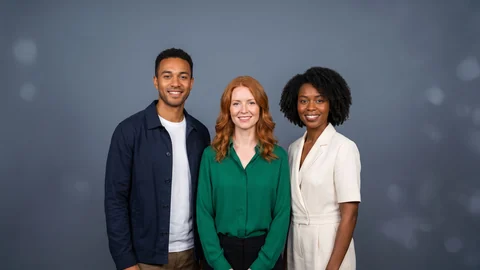
Demonstration with fictional adults. These scenes are not ready-made catalogue effects.
The film could not load. You can still view the photo or open the guest page.
Open the guest page ↗Create a distinctive visual theme
Build the theme around colour, atmosphere and setting. Compare the transformations to choose a look that fits the campaign and works with the planned guest photos.
Continue the story on the guest’s phone
Use the result-page settings for your approved logo and message. Guests can view and download their finished portrait or film from a page that supports the experience.
Pair a sculptural botanical scene with approved branding on the result page.
Frequently asked questions
How should we include brand elements?
Add approved logos and text through the result-page settings; a generated image does not guarantee exact logo or lettering reproduction. Agree brand rights, participant-image permissions and publication channels separately.