


DropAi · Visitor attractions
A new take on attraction photos
Turn a visit into a themed photo adventure. Give visitors a portrait inspired by your attraction and a page where they can view and download their keepsake.


The comparison could not be loaded. Please reload the page to try again.
Demonstration scenario
Two directions for one stand
- Brief
- An agency needs two contrasting creative proposals for the same trade-show stand.
- Creative choice
- Switch between Neon Runway and Cosmic Explorers: the source photo and three main guests stay the same.
- How it runs
- Prepare the approved brand assets, a reference photo and a visual brief. Show both scenes and their guest pages to the client, then test an available effect in the account.
- What the guest receives
- A concrete photo and short film help the client choose a direction. Logo and message belong on the configurable guest page.
Start here
Demonstration with fictional adults. These scenes are not ready-made catalogue effects.
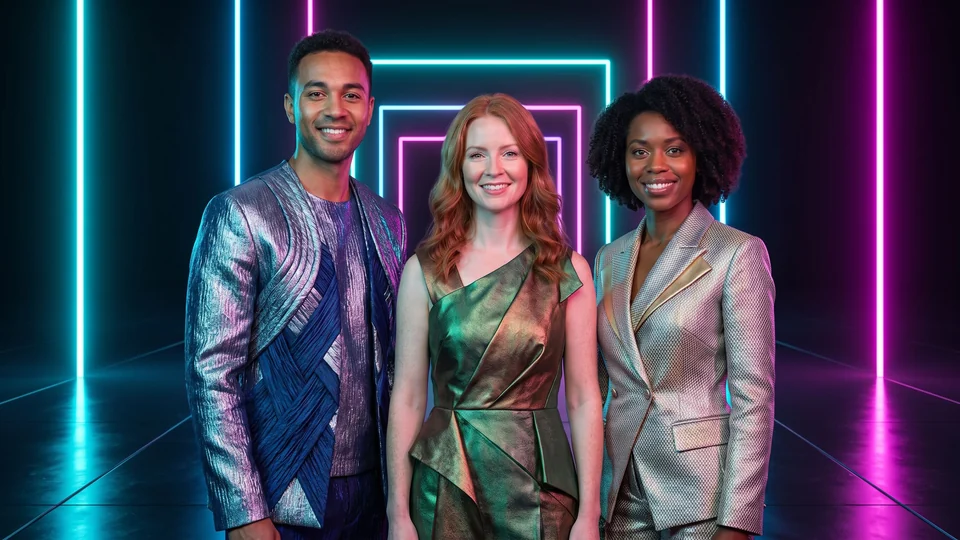
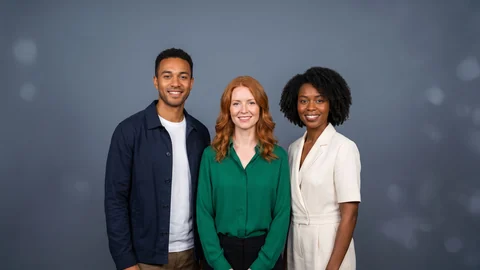
Demonstration with fictional adults. These scenes are not ready-made catalogue effects.
The film could not load. You can still view the photo or open the guest page.
Open the guest page ↗Extend the world of your attraction
A fantasy landscape or a cinematic adventure can complement the setting visitors have just explored. Choose the style around the attraction’s story and the photos you can capture.
Make collecting the photo part of the visit
Plan the journey from capture to the finished photo or film with the attraction operator. Check the camera setup, supported software and guest download on the actual workstation.
Choose a scene that fits the attraction, then review the full image or film and guest download with the operator.
Frequently asked questions
What needs checking at an attraction?
Check faces, framing, seating and safety equipment in representative photos. Test capture, the network, complete results and guest delivery with the operator; one demonstration does not establish compatibility with every attraction setup.